Instantly capture any text on your screen, and let AI translate, explain, rephrase, or even reply for you. Your ultimate productivity companion, seamlessly integrated into your desktop.
Download for Free
Everything you need, just a keypress away.
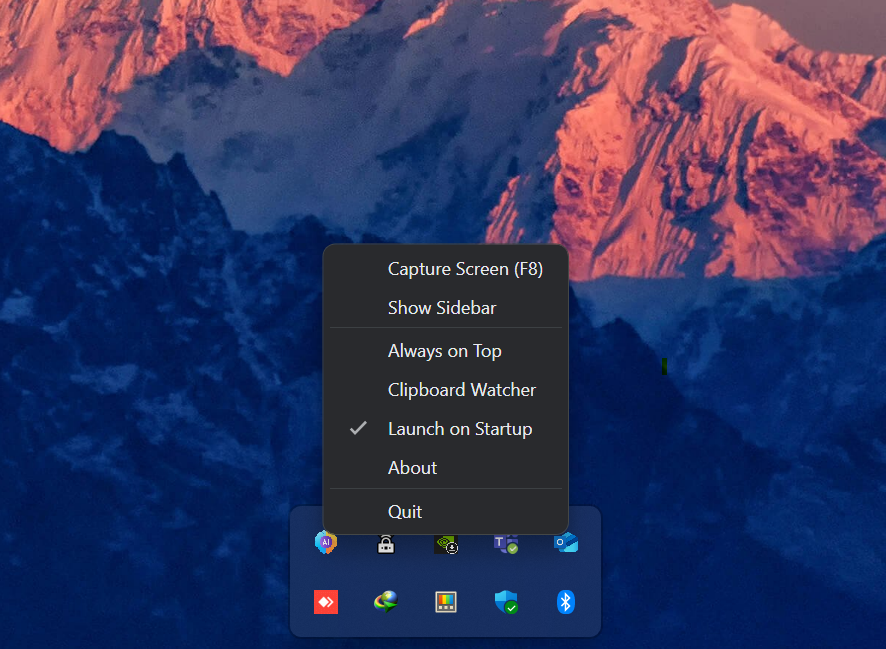
Press F8 to select any region. Our engine extracts text in a flash.
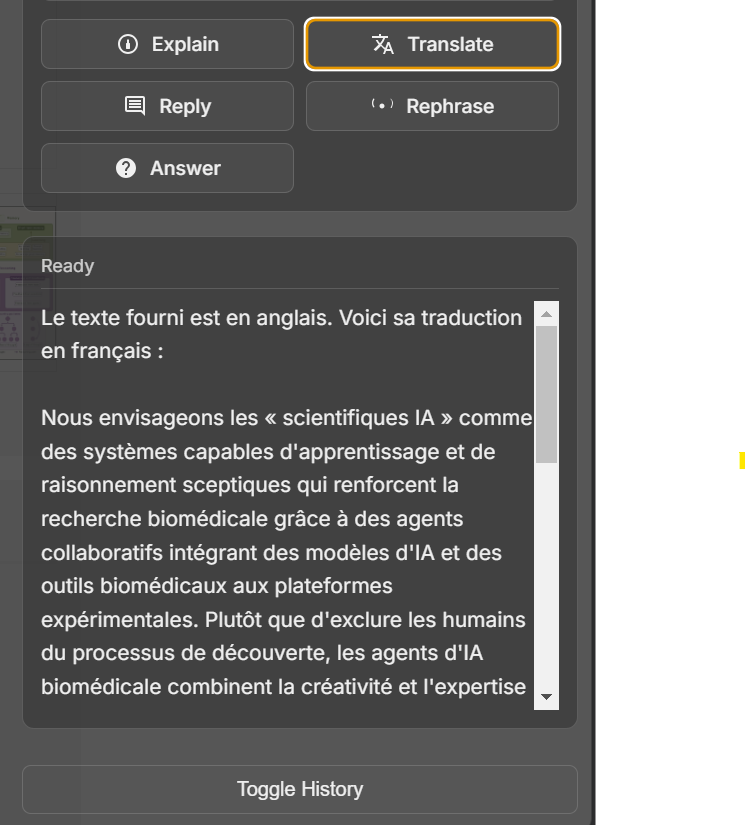
Translate, explain, rephrase, or get answers from your captured text.
A beautiful sidebar that docks to your screen and feels like a native part of your OS.
Works flawlessly on Windows, macOS, and Linux with native OCR support.
Automatically process text you copy, making your workflow even faster.
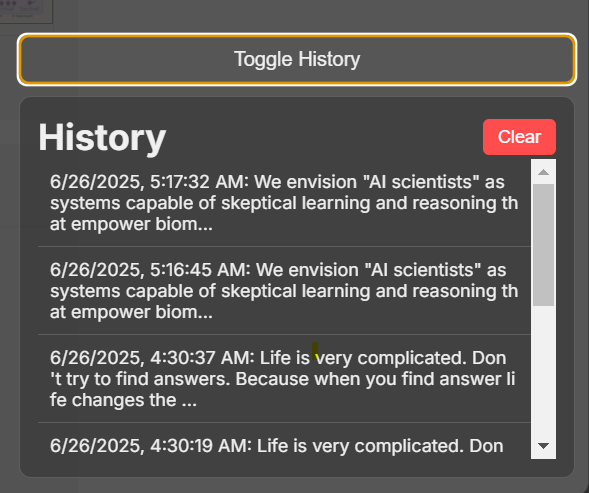
Your captures and AI responses are saved locally for easy access.
A workflow designed for speed and simplicity.
Press a hotkey and your screen dims, ready for selection. The "live" capture feels just like your operating system's native snipping tool. Drag a box over anything—a code snippet, a foreign language comment, a non-selectable error message—and the sidebar instantly appears with your capture.
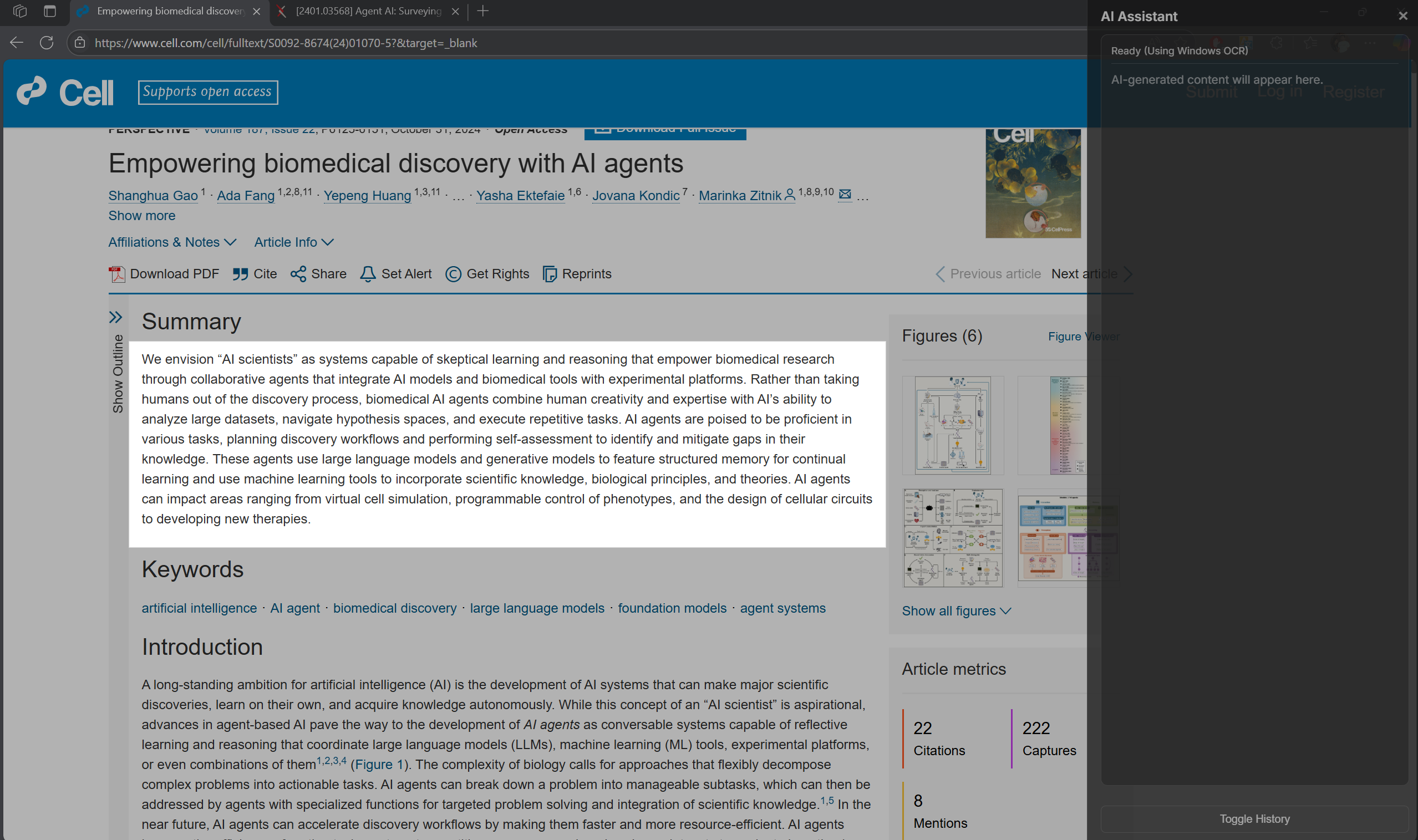
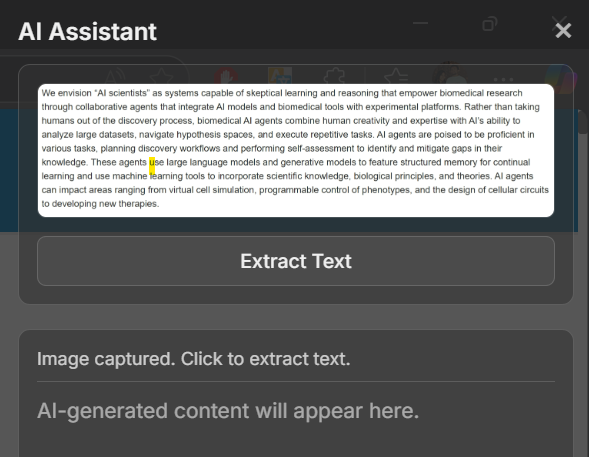
Click "Extract Text" and watch the image turn into selectable text in seconds. From there, the AI is at your command. Need to understand a piece of code? Click "Explain". Replying to a message? Click "Reply". The AI understands the context and gives you exactly what you need.
A closer look at the features.

Yes, the app is completely free to use. You just need to provide your own Google Gemini API key, which also has a generous free tier.
Currently, the app is officially supported on Windows. macOS and Linux versions are planned. You can contact the author to express interest and get notified when they are available.
Absolutely. Your API key and history are stored locally on your machine. Your captured text is sent directly to the Google Gemini API and is not stored on any third-party servers.
On Windows, we use the powerful and fast native Windows OCR engine. On macOS and Linux, the app uses Tesseract.js, a popular open-source OCR library that runs locally.